
Setting Up Toast on a Food Truck: What I’d Do Differently
- toast-pos
- food-truck
- pos-setup
- operations
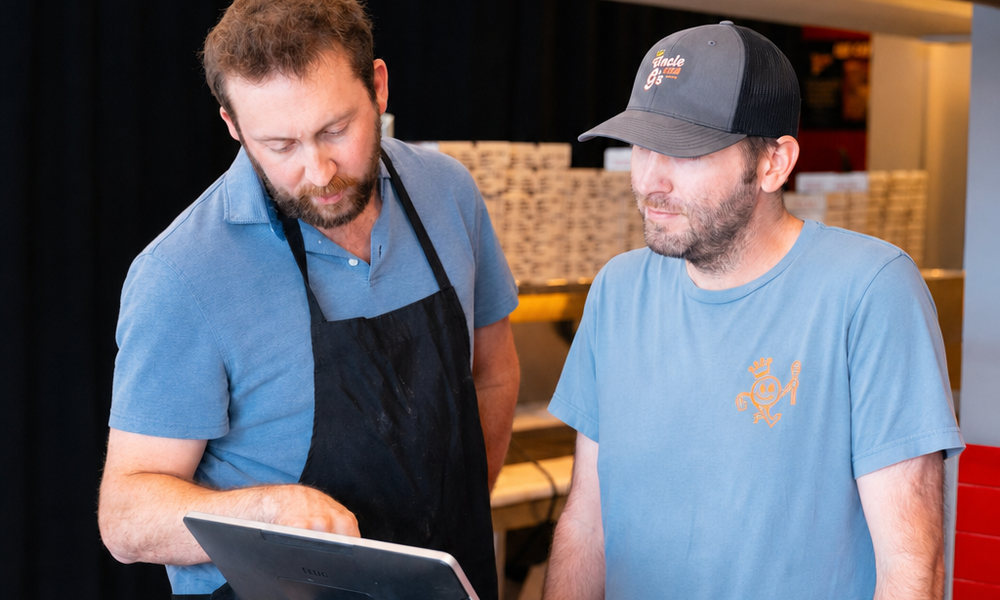
I run Toast every day across one restaurant and two food trucks in Birmingham. (One of them is a trailer. The photos prove it.) Nobody handed me a certification for any of this. What I have is production scars, and a list of things I’d do differently if I were setting up Toast on a truck for the first time today.
Where these opinions come from
Quick background, so you know this isn’t theory. I started making pizza out of my house during COVID and ran pop-ups. In 2021 I put $21,456 into my first rig and did $110k that year. Added a second truck in 2022 and did $550k. $1.1M in 2023. Opened a restaurant in 2024 alongside both trucks: $1.4M. Today, Toast is the register at the restaurant and on both trucks. (More of that story is on the about page.)
My operating order for everything: systems > training > quality > service. Your POS config is a systems problem, and it sits upstream of the other three. Get it right and training gets shorter, quality gets consistent, and service mostly takes care of itself. Get it wrong and you become the human patch over a bad setup, the only person who knows which buttons lie. I did that job for a while. It has no days off.
And here’s the thing it took me too long to see: a POS config is a list of decisions. Every required modifier is a decision you made once instead of your cashier guessing it five hundred times. Every named discount is a ruling you don’t have to hand down mid-rush. And every vague field is a decision you’ve quietly chosen to keep making personally, forever. Owners tell me they can’t step away from the window because the crew isn’t ready. Half the time the crew is fine. The register is the one that was never trained.
One note before we start: nothing below is an official Toast tutorial. Screens move, features get renamed, plans change. The specifics here match Toast’s own documentation as of mid-2026, and the principles are the part that doesn’t change.
Build the menu for the window, not the dining room
The biggest mistake I see (and made) is treating the truck’s POS menu like a small restaurant menu. It isn’t. A restaurant menu is built for a guest sitting down with time to decide. A truck menu is built for a person standing in the sun with nine strangers behind them.
| Decision | Restaurant build | Truck build |
|---|---|---|
| Item count | As deep as your kitchen can honestly support | Short enough to read from six feet away |
| POS layout | Organized by course and category | Best sellers biggest and first, one screen, no scrolling |
| Item names | Menu poetry is allowed | Exactly what the window sign says, word for word |
| Modifiers | Flexibility for the dining room | Few, fast, and priced |
| What you’re optimizing | Accuracy across a long menu | Seconds per order, with a line watching |
Three rules I’d follow from day one:
One screen. If a first-week cashier has to scroll or hunt for a button, the config is wrong, not the cashier. Archive seasonal items when the season ends instead of letting dead buttons pile up.
Name buttons what the sign says. If the sign says “The Smoky One,” the button says “The Smoky One.” The customer, the cashier, the ticket, and the sign should all use the same words. Every translation step between them is a place to make the wrong food.
Cut before you launch. The window can only move as fast as your slowest station. A short menu isn’t a lesser menu. It’s the thing that lets you serve the whole line and still get home at a reasonable hour. (And the register was never the slow part anyway: here’s how the line actually works.)
Modifiers: the kitchen should never have to guess
Mods are where truck POS setups quietly rot. Four principles:
Every mod prints the way the line reads it. Build the mod, then go look at the actual ticket where it actually comes out. If the kitchen has to decode it, rebuild it.
Make real choices required. If an item comes in two sizes or three proteins, the register should refuse to send the order until the cashier picks one. Optional mods get skipped in a rush. Required ones don’t. Toast enforces this with required modifier groups in the menu builder. The order literally can’t proceed until a choice is made. Use them for every real decision, and check they’re set visible on every channel you sell through, because a group that’s hidden on online ordering silently stops being required there.
Price the expensive ones. Extra protein, extra cheese, double anything: if it costs you real money, it’s a priced button, not a favor. Free “extra” buttons are a margin leak you’ll never see on a report, because there’s nothing to report.
Fence the free-text field.
Early on, my special-instructions field was a free-for-all. Tickets came through reading like riddles. “No red”: sauce? onions? peppers? One just said “ALLERGY,” no allergy named. Mid-rush on a trailer, nobody has time to cross-examine the cashier. The kitchen guesses, the guess is sometimes wrong, and now you’ve paid for the food twice and lost the customer once.
My fix: any question the window hears twice becomes a button. That’s the whole philosophy in one rule, because a button is a decision that’s already been made. The free-text field is for genuine one-offs, and the system rule is simple. An allergy order doesn’t get sent until the allergy is named.
Online ordering: great tool, use the off switch
Online ordering on a truck is genuinely useful, until the day it buries you. What I’d set up:
Honest quote times. A truck kitchen’s capacity swings hard with the line at the window. If your pickup quotes don’t reflect that, online customers show up to wait anyway, except now they’re annoyed and standing in everyone’s way.
Throttle it. Toast’s tool for this is called kitchen capacity: you set how many orders or items can land per 15-minute window, and when a window fills, quote times stretch and that slot disappears from scheduling. You can stack manual throttling delays on top on a slammed day. Two honest caveats: it shapes demand by pushing quote times out rather than hard-refusing orders, and it only governs Toast’s own ordering channels. Third-party apps don’t care about your kitchen capacity. The ticket rail doesn’t care where orders came from. Your line has one speed.
Know your off switch, and use it. Here’s the part nobody tells you: at a busy event, turning online ordering OFF is often the professional move. If the walk-up line is already at your capacity, every online order is a promise you can’t keep. Toast’s own word for it is Snooze (20 minutes, 40 minutes, or the rest of the day, and it flips itself back on after), plus a plain ordering on/off toggle when you want it off until further notice. Use them, then turn it back on when the line breathes.
The dead-zone trap. If your signal drops, online orders can keep stacking up on the cloud side while your tablet shows you nothing. The customer arrives holding a confirmation for food you’ve never heard of. If you’re heading somewhere with sketchy coverage, turning it off before you leave is cheaper than being sorry after you arrive.
Discounts and promos: the quiet margin eater
Discounts don’t fail loudly. They leak. My rules:
No open discounts. An open “manager discount” where anyone types any percentage is how margin disappears without a paper trail. Every discount worth keeping is a named button (“Remake,” “Event Vendor,” “Employee Meal”) with a fixed value and a report behind it. And Toast has a per-discount “reason required” checkbox: turn it on, because without it the register politely offers a “No reason” button, and “No reason” is where margin goes to die.
Watch stacking. A percent-off promo on top of a bundle special on top of a comped drink adds up faster than it reads. Decide what can combine ahead of time, in the config, not in the moment at the window.
Track comps like real money, because they are. The remake you hand out and never ring in doesn’t just cost food. It corrupts your numbers. Your food-cost math is now lying to you, and you won’t know why.
Do the math before the promo. Make up your own numbers, but here’s the shape of it: say an order nets you $4 before any discount. A 10% discount on a $15 order takes $1.50, over a third of the profit on that order, to sell something you might have sold anyway. Sometimes that trade is worth it. It should never be a surprise. Before your next event, run the whole day through my free truck P&L worksheet with the promo and without it, and see if you still like it.
This is also where the reporting matters more than the register. Daily sales, discount totals, comps by reason: those numbers only help if somebody actually looks at them, and I automate as much of that looking as I can. Here’s how I use AI on the numbers side.
Routing: where tickets go on a six-foot line
A truck kitchen is a hallway. Ticket routing still matters. Maybe more, because there’s nowhere to hide a mistake.
Decide where every item appears. Even with one printer or one screen, the order items print in should match the order the line builds them in. If drinks and sides clutter the top of every ticket, the food that takes longest reads last and starts last.
Give the window its own view. Whoever hands food out needs to see what’s done and what’s owed without shouting over the oven. On a trailer that might be one extra screen or a printed expo copy. A kitchen display screen runs about $500–$700 and a receipt printer under $200, which is small money against handing out wrong orders all summer.
Respect the sun. Whatever displays your tickets has to be readable at noon in July, in a parking lot, by someone with flour on their hands. Paper doesn’t glare, and screens don’t blow away. Pick your trade-offs in the actual truck at the actual hour you’ll work, not in your kitchen at night.
Connectivity: the part of the demo nobody shows you
The demo happens on good Wi-Fi. Your Saturday happens in a field.
Event lots kill signal. A festival with a few thousand phones on it can flatten the coverage you tested on a quiet Tuesday. The signal check that matters is the one during the event, which is why backups matter more than bars.
Two carriers, not two devices on one carrier. A dedicated hotspot on a different network from your main connection is cheap insurance. Hotspot data plans commonly run $20–$60 a month, carrier-dependent. When one network folds at an event, the other often holds.
Understand offline mode before you need it. Toast keeps taking card payments with no connection. It encrypts and stores them on the device, then submits them when you’re back online. The risk is real: a card that declines when it finally processes, hours later, is food you already handed out. Two settings to know before your first event: reconnect within about 24 hours or stored authorizations can start expiring, and there’s a transaction-limit setting so offline cards above your chosen amount need a manager’s approval (or you can switch offline card-taking off entirely). Decide your comfort level in advance, and keep a cash drawer that works with the power out.
Rehearse the failure. Before your first event, kill the internet mid-order on purpose and watch what the system does. Better to learn its offline behavior in your driveway than in front of a festival line.
What I’d actually do, in order
If I were standing in a brand-new truck with a fresh Toast login, this is the sequence:
- Write the window menu first (the physical sign), then build the POS to match it exactly. One screen, best sellers biggest.
- Walk every item and build its mods: real choices required, expensive extras priced, ticket text readable by the line.
- Print a fake rush. Ring in ten realistic orders, hand the tickets to whoever’s cooking, and fix everything they squint at.
- Set online-ordering rules before the first event: when it’s on, when it’s off, who owns the toggle, what the quote times are.
- Name every discount and delete the open ones.
- Run the whole rig on the hotspot in a parking lot, then cut the connection mid-order and watch what happens.
- Put a config review on the calendar. Menus drift. Configs should get pruned the same way menus do.
And if your Toast is already live and the reports read like fiction, that’s a fixable problem. A POS configuration audit is part of the Ops & Profit Rescue work I do, because the register is where every other number starts. I’ve been far enough down this rabbit hole that I ended up building a POS of my own: a tool for internal use that will save us over $2k a month in software.
If you’re still pre-launch, the POS is one line item on a much longer list, and the order you work that list in matters. My free food truck checklist walks the whole thing, step by step.
Questions people actually ask.
Is Toast good for a food truck?
It's what I run across one restaurant and two trucks. But the config matters more than the brand: a well-built menu on any modern POS beats a sloppy build on the best one.
How should a food truck POS menu differ from a restaurant menu?
One screen, no scrolling, best sellers biggest and first, item names matching the window sign word for word, and modifiers that are few, fast, and priced. A truck menu is built for a person standing in the sun with nine strangers behind them.
What happens when a food truck loses signal?
Toast keeps taking card payments offline, stores them encrypted on the device, and submits them when you reconnect. The risk is a card that declines hours later on food you already handed out, so set an offline transaction limit and reconnect within about 24 hours.
Should a truck turn off online ordering at busy events?
Yes, when the walk-up line is already at capacity. Every online order past that point is a promise you can't keep. Toast's Snooze makes it one tap and flips itself back on.
What's the most common truck POS mistake?
Vague configuration. Free-text special instructions, optional modifiers for real choices, open discounts. Any question the window hears twice should become a button, because a button is a decision that's already been made.